The Locked Account Notification
- Richard Stocks
- Jul 21
- 2 min read

Flggd Scam School · Social Media & Influencer Scams · Lesson 1 of 12
A message says your Instagram account will be locked unless you appeal right away. That Instagram account will be locked message almost never comes from Instagram; here's how to tell in under a minute.
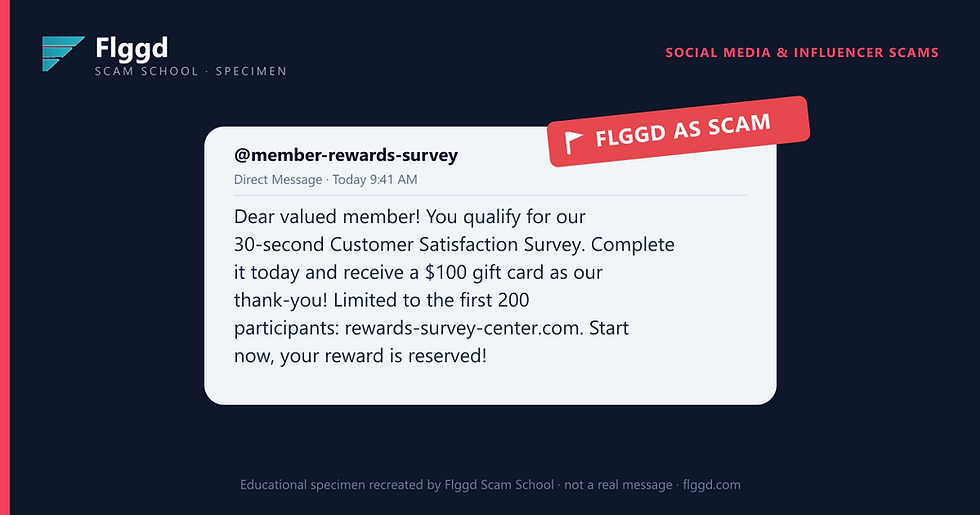
The message looks like this

Why this is a scam
Platforms don't threaten you by email or DM with a countdown and a link. Real policy notices appear inside the app, in your notifications or account status page, with no outside website involved.
The "appeal" link opens a login page that looks like Instagram's. It isn't. Whatever you type goes to the scammer; first your password, then sometimes a card number to "verify" your identity.
Once they have your login, they take the account and run scams on everyone who trusts you.
Red flags checklist
A countdown: act "in 24 hours" or lose your account forever.
The link isn't instagram.com; extra words like "appeal-center" are the tell.
The sender's address or handle is close to official, but not exact.
The violation is vague; no post, date, or rule is actually named.
You're asked to log in or pay through their link to fix it.
The manipulation tactic
Fear plus authority. Losing your account feels like losing your photos, your friends, and your history, so the deadline pushes you to act before you look closely.
What to do, and what not to do
Don't tap the link or log in through it.
Open the app yourself and check your notifications and account status.
On Instagram, Settings lets you see every real email Instagram has sent you.
Change your password and turn on two-factor login if you're worried.
Report the message as phishing, then delete it.
Not sure about a message you've received? Check it in seconds with the free Flggd app.