The Device Pairing Deception
- Richard Stocks
- Jul 21
- 2 min read

Flggd Scam School · Bank & Financial Institution Scams · Lesson 6 of 16
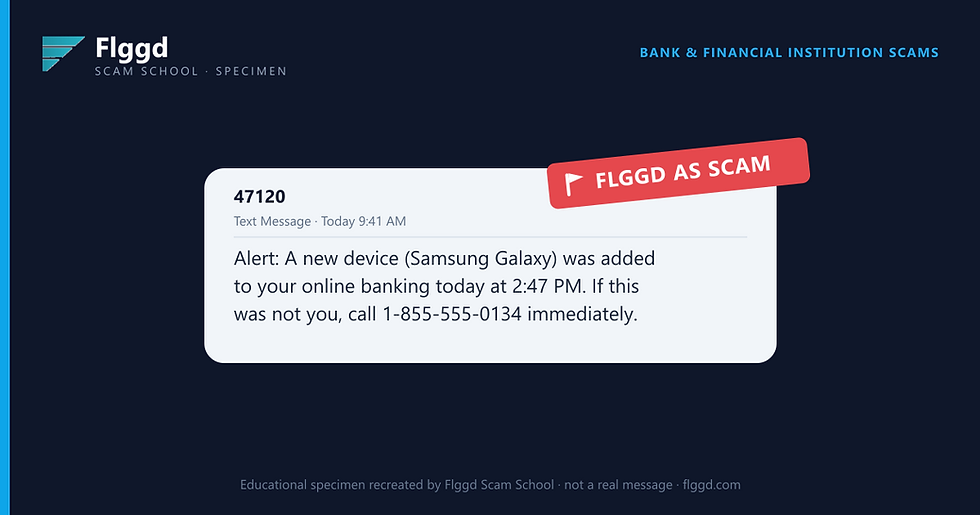
A text claims a phone you've never owned was just added to your online banking. Here is how to tell whether a new device paired bank text is real or a setup.
The message looks like this
Why this is a scam
No device was added. The message exists to make you dial the number, where a fake fraud agent is waiting to "remove the device" for you.
Removing it, they'll explain, requires confirming your identity: username, password, and the one-time code your real bank texts you. With those three things, the scammer pairs their own device for real. The scam creates the exact crime it warned you about.
Real device alerts appear in your banking app and your bank's message center, and they let you remove a device yourself with a tap, no phone call needed.
Red flags checklist
The only remedy offered is calling a number from the text.
A device model and timestamp, but no matching alert in your app.
The "agent" needs your password or a texted code to remove a device.
The number isn't the one on the back of your card.
Urgency: act "immediately" or your money is at risk.
The manipulation tactic
Specificity breeds trust. A device model and an exact time make the story feel machine-generated and true, so the phone number feels safe.
What to do, and what not to do
Don't call the number in the text.
Open your banking app and check your list of trusted devices yourself.
See something unfamiliar? Remove it in the app and change your password.
Call the number on the back of your card if you want a human to confirm.
Forward the text to 7726 (SPAM), then delete it.
Not sure about a message you've received? Check it in seconds with the free Flggd app.


